How to Use ixBrowser With Thordata
Thordata
's premium residential, ISP, and datacenter proxies, this setup delivers reliable IP rotation, geo-targeting, and enhanced anonymity for tasks like scraping, ad verification, and SERP monitoring.Integrating ixBrowser with
Thordata
creates a seamless, scalable solution for handling multiple sessions without risking bans or detection, making it ideal for global operations.
What Are ixBrowser and Thordata?
ixBrowser: A Powerful Anti-Detection Browser
ixBrowser is an advanced privacy tool designed for creating and managing multiple browser profiles. It allows users to:- Generate unique fingerprints (e.g., canvas, WebGL, hardware specs).
- Isolate sessions to prevent cross-profile tracking.
- Supports team creation and flexible management of team member permissions.
- Support extensions and API for enhanced functionality.
- Multi-account operations on social media and e-commerce platforms.
- Ad account management and verification.
- Web scraping and data gathering.
- Affiliate marketing and anti-fraud testing.
Thordata: A Reliable Proxy Provider
Thordata
is a global proxy service offering ethical, high-performance proxies, includingresidential
,datacenter
, andISP
options with unlimited traffic. Its network supports access to geo-restricted content and ensures stable, compliant data extraction.Thordata
also provides web scraping tools like SERP APIs and Web Scraping APIs for efficient data collection. With flexible plans, competitive pricing, and a free trial, it's tailored for businesses needing cost control and reliability.Proxies from Thordata are suited for:
- Data scraping and competitive intelligence.
- Social media automation.
- Ad verification.
- SERP tracking.
Proxy types
Residential Proxies
: These deliver authentic residential IP addresses for superior anonymity and privacy, effectively bypassing blocks while offering IP randomization, sticky sessions, and unlimited bandwidth for seamless web scraping and geo-targeting in 2025.Mobile Proxies
: Backed by 600K+ real mobile network IP resources, it is designed specifically to handle complex anti-scraping issues.Static Residential Proxies
: Featuring unlimited traffic and 99.9% uptime, these are ideal for enterprise-level data scraping, market research, and long-term sessions, providing stable, ISP-assigned IPs without restrictions or downtime.DataCentre Proxies
: Offering the fastest 100% anonymous IPs with global coverage, these ensure efficient, high-speed data collection, low latency, and scalability for bulk scraping, SEO monitoring, and unrestricted access worldwide.Web Scraper APIs
: Enjoy a free trial with no coding or server setup required—scrape real-time data from hundreds of global websites effortlessly, streamlining development, maintenance, and integration for automated insights.
Why Use ixBrowser With Thordata?
Combining ixBrowser and Thordata offers:
- Enhanced Anonymity: ixBrowser's fingerprint customization paired with Thordata's clean IPs creates fully isolated digital identities.
- Improved Success Rates: Thordata's proxies achieve 98%+ uptime in tests, reducing blocks on high-security sites.
- Scalability: Manage hundreds of profiles with stable IPs, perfect for teams.
- Geo-Flexibility: Access content from 195+ countries without fingerprint-IP mismatches.
- Cost Efficiency: Thordata's pay-per-use models complement ixBrowser's profile management for optimized workflows.
How to Use Thordata Proxies in ixBrowser
Follow this step-by-step guide to integrate Thordata proxies into ixBrowser, based on standard configurations tested in 2025.
- Download and Install ixBrowser: Visit the official ixBrowser website, download the latest version, install it, and log in to your account.
- Create a New Browser Profile: In the ixBrowser dashboard, navigate to "Browser Profiles" and click "Create New Profile" to set up a fresh session.
- Configure Proxy Settings: Scroll to the proxy section in the profile setup. Select "HTTP" or "SOCKS5" as the proxy type (Thordata supports both).
- Enter Thordata Proxy Details: Input the proxy IP, port, username, and password from your Thordata dashboard. For example:
- IP: [Your Thordata IP]
- Port: 8080 (or as provided)
- Authentication: Username/Password
- Validate the Proxy: Click "Test Proxy" or "Validate" to ensure connectivity. ixBrowser will check for speed and stability.
- Save and Launch: Apply changes, save the profile, and open the browser. The session will now route through your Thordata proxy.
Conclusion
Pairing ixBrowser with Thordata proxies forms a secure, efficient system for multi-account handling, data extraction, and automated tasks in 2025. ixBrowser handles fingerprint isolation, while Thordata delivers high-quality, global IPs for consistent performance.With Thordata's free trial and ixBrowser's intuitive interface, getting started is risk-free. This combination empowers users to navigate complex online landscapes with confidence. For more tips, explore Thordata's resources or ixBrowser's documentation.
Start Your Free Trial Today!
Click the link above to register now and enjoy a free trial of a high-quality proxy.
ixBrowser: Best Incogniton Alternativesin 2025
This transition from a trial-phase tool to a production-grade platform is where many users encounter the limitations of their initial choice. The need for a solution that grows seamlessly with the user's ambitions—without compromising on security or spiraling in cost—becomes paramount. It is precisely at this juncture that ixBrowser positions itself not merely as an alternative, but as the logical and superior successor for users ready to graduate from Incogniton's foundational offering.
What is Incogniton?
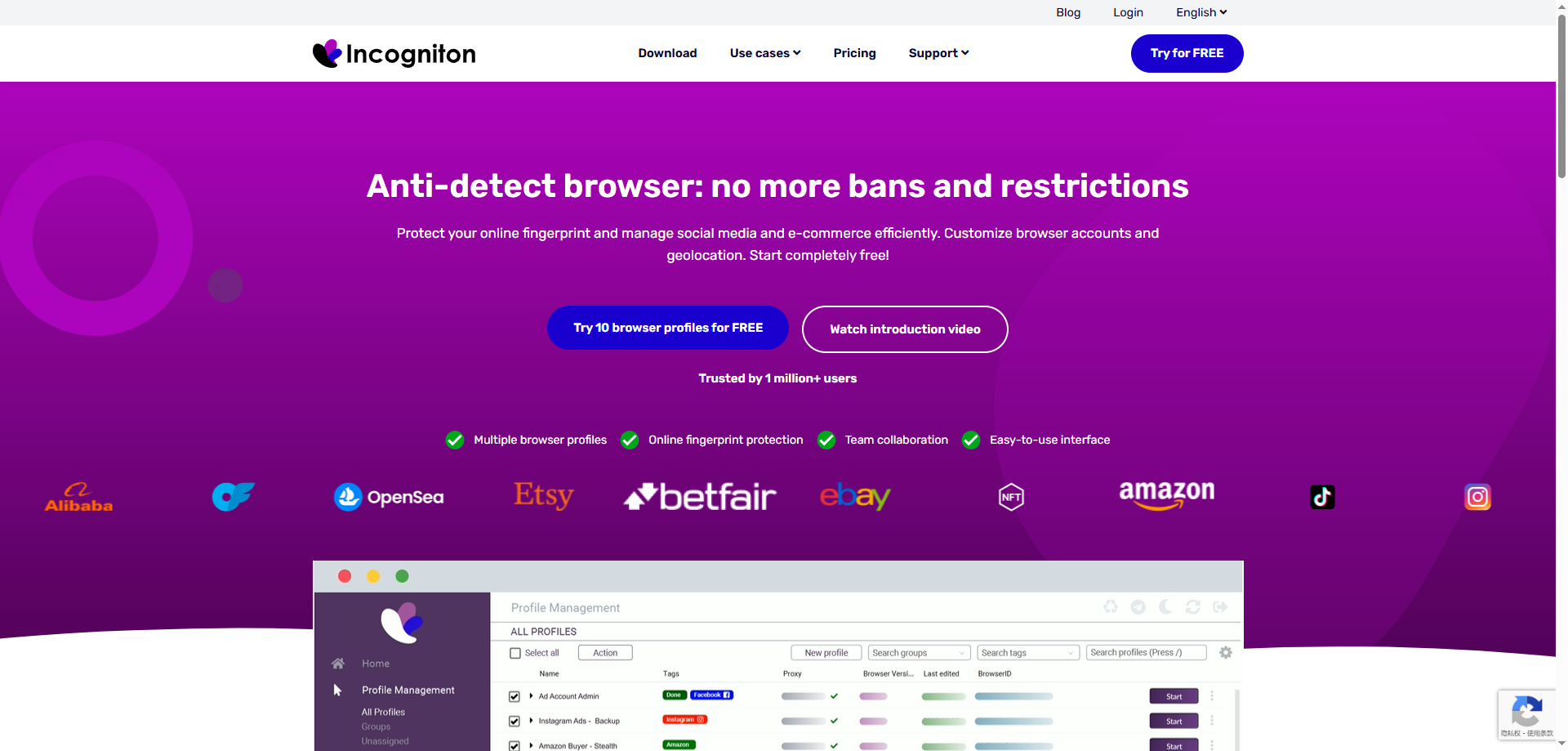
Incogniton is a comprehensive anti-detect browser designed to provide a secure and convenient solution for multi-account management and anti-detection. Its core function is to create isolated browser environments for each account, each equipped with a unique browser fingerprint, effectively preventing detection and bans by platforms due to identical fingerprints. This makes it a valuable tool for professionals in fields like cross-border e-commerce, social media marketing, and advertising.
The browser emphasizes user experience and cost-effectiveness, offering an intuitive interface and flexible subscription plans. Beyond its robust fingerprint management, Incogniton includes practical team collaboration features, supporting member permission management and profile sharing to facilitate efficient teamwork. It also integrates proxy services and allows for a degree of automation via API, catering to the diverse needs of individuals and small to medium-sized teams.
Advantages of Incogniton
Intuitive and User-Friendly Interface
Incogniton is praised for its clean and clear user interface, making it particularly suitable for beginners in anti-detect browsers. The logical layout allows users to quickly create, manage, and organize browser profiles, significantly reducing the learning curve.
Generous Free Trial Period
It offers a generous free trial period of up to two months, including an allowance for 10 browser profiles. This gives potential users ample time to thoroughly test its core features and stability, significantly lowering the barrier to entry and risk before making a commitment.
Practical Basic Team Collaboration Features
It includes built-in team collaboration tools, supporting profile assignment to members and basic permission management. This meets the fundamental needs of small teams working together, enhancing operational efficiency without relying on complex external systems.
Disadvantages of Incogniton
Relatively Low Fingerprint Update Frequency
The update speed and frequency of its browser fingerprint database may lag behind some more proactive competitors. When facing rapidly evolving detection mechanisms from platforms like Facebook or Google, slower updates can increase the long-term risk of profile detection.
Pricing Per Profile Can Become Expensive
While entry-level plans are attractive, its business model primarily charges based on the number of profiles. The total cost can escalate quickly for users managing hundreds of profiles, potentially making it expensive compared to competitors offering more generous or unlimited profile plans.
Fingerprint Spoofing Depth Lags Behind Top Competitors
When confronting the most advanced detection systems, the depth and detail of its fingerprint spoofing (e.g., the realism in simulating advanced parameters like Canvas, WebGL, audio context) may not match top-tier products like Multilogin or Kameleo. This could be a limitation for professional users with extremely high anonymity requirements.
What is ixBrowser?
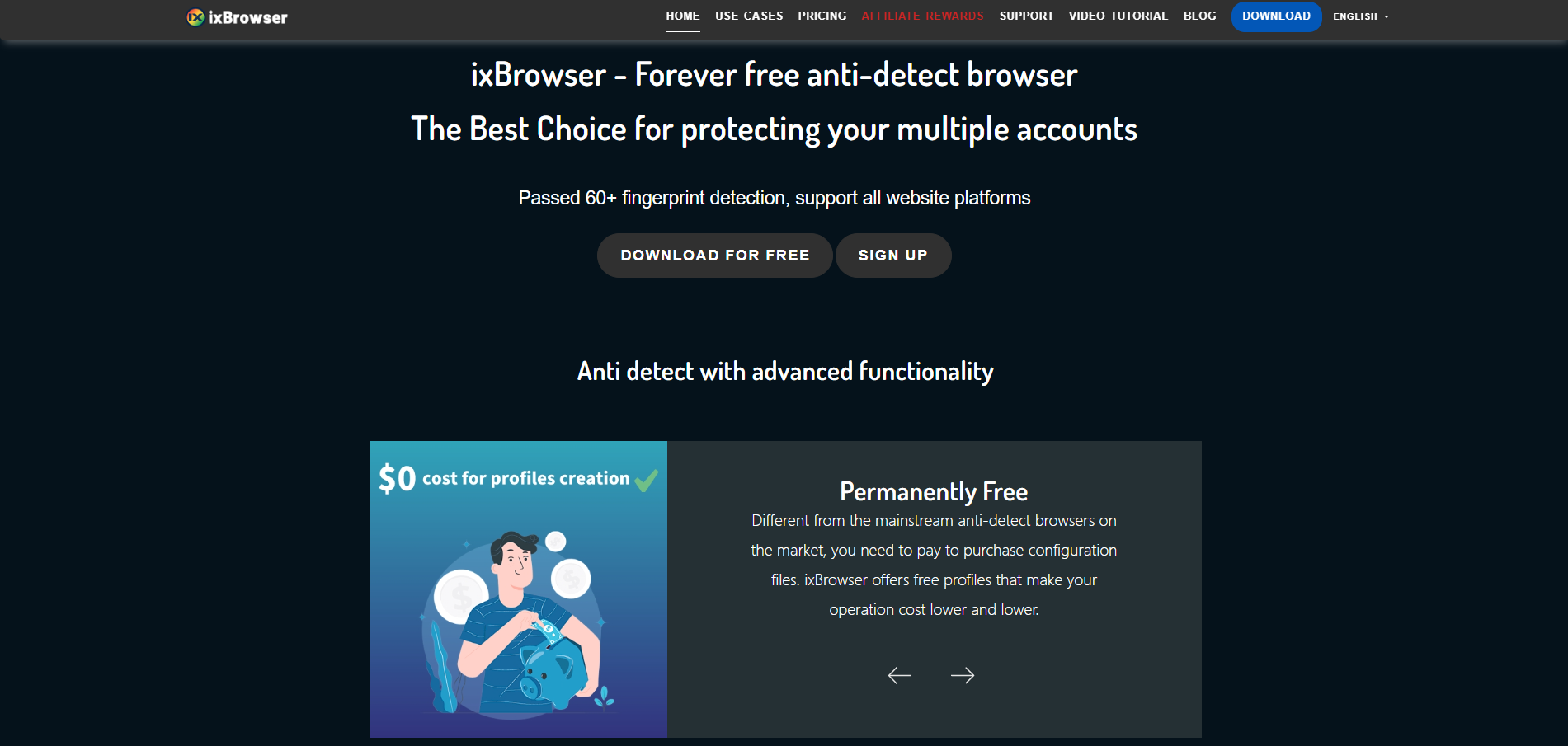
ixBrowser is a comprehensive anti-detect browser specifically designed for managing multiple online accounts securely and efficiently. It enables users to create isolated browser environments, each with a unique and consistent digital fingerprint. This technology is crucial for professionals in digital marketing, e-commerce, and social media management to operate multiple accounts without triggering security flags or bans from platforms.
The platform stands out with its user-friendly interface, making sophisticated fingerprint spoofing accessible even to less technical users. Beyond core profile management, ixBrowser supports advanced features like team collaboration with detailed permission controls, seamless proxy integration, and automation through browser automation studios. It provides a robust solution for tasks ranging from affiliate marketing and ad verification to large-scale data scraping.
Why is ixBrowser the best alternative to Incogniton?
When choosing an anti-detect browser, users often face a trade-off between ease of use and professional depth. Incogniton attracts many new users with its friendly interface and free trial period. However, its core technology update cycle and usage-based pricing model may struggle to meet the long-term needs of scaling operations. As demands for account security, stability, and cost control increase, a more forward-looking alternative becomes essential.
Superior Long-term Cost & Pricing Structure
While Incogniton offers an attractive short-term trial, its per-profile pricing model can lead to sharply increasing costs as business scales. In contrast, ixBrowser offers a more predictable and scalable pricing structure, typically providing more competitive plans that allow users to manage more profiles at a lower marginal cost, delivering significantly better long-term value.
More Proactive & Frequent Fingerprint Updates
Incogniton's relatively slow fingerprint update cycle can pose security lag risks. ixBrowser is committed to technological leadership, with shorter and faster update cycles for its fingerprint database and anti-detection algorithms. This enables more effective countermeasures against evolving detection mechanisms on major platforms like Google and Facebook, providing stronger long-term protection for accounts.
More Granular & Scalable Team Collaboration
While Incogniton provides basic team features, ixBrowser's team management system is more powerful and flexible. Users can create multiple team roles and freely assign role permissions and profile permissions, making it ideal for fast-growing or structurally complex teams.
Stronger Performance & Resource Efficiency
When handling a large number of browser profiles, ixBrowser is deeply optimized for system resource (CPU, RAM) usage, resulting in more stable and smooth operation. This allows users to run more concurrent tasks on the same device without significant lag, directly boosting productivity for large-scale operations.
Broader Validation & Compatibility for Professional Use Cases
ixBrowser is designed for various professional use cases including cross-border e-commerce, social media marketing, advertising, and data collection. Its compatibility with global mainstream platforms and websites has been extensively validated. Compared to Incogniton, it often delivers more reliable stability and success rates when managing high-value, high-sensitivity accounts.
Conclusion
In summary, while Incogniton serves as an excellent entry-point solution, ixBrowser emerges as the optimal alternative for upgrading from Incogniton to meet growing business and advanced needs. It achieves this through a superior long-term cost structure, more proactive technology updates, stronger team management, higher performance efficiency, and deeper support for professional use cases, representing a more forward-looking and sustainable choice.
如何将辣椒HTTP代理配置进ixBrowser中
辣椒HTTP介绍
辣椒HTTP是一个稳定、安全、合规、更实惠的海外IP代理方案。辣椒HTTP优选了全球190+国家或地区IP资源,专注于提供稳定、快速、高效的海外IP代理服务。支持HTTP、HTTPS、SOCKS5等多种协议,价格透明、套餐灵活、助力跨境业务轻松起步。新用户注册免费试用1-2GB。1.登录并注册辣椒HTTP
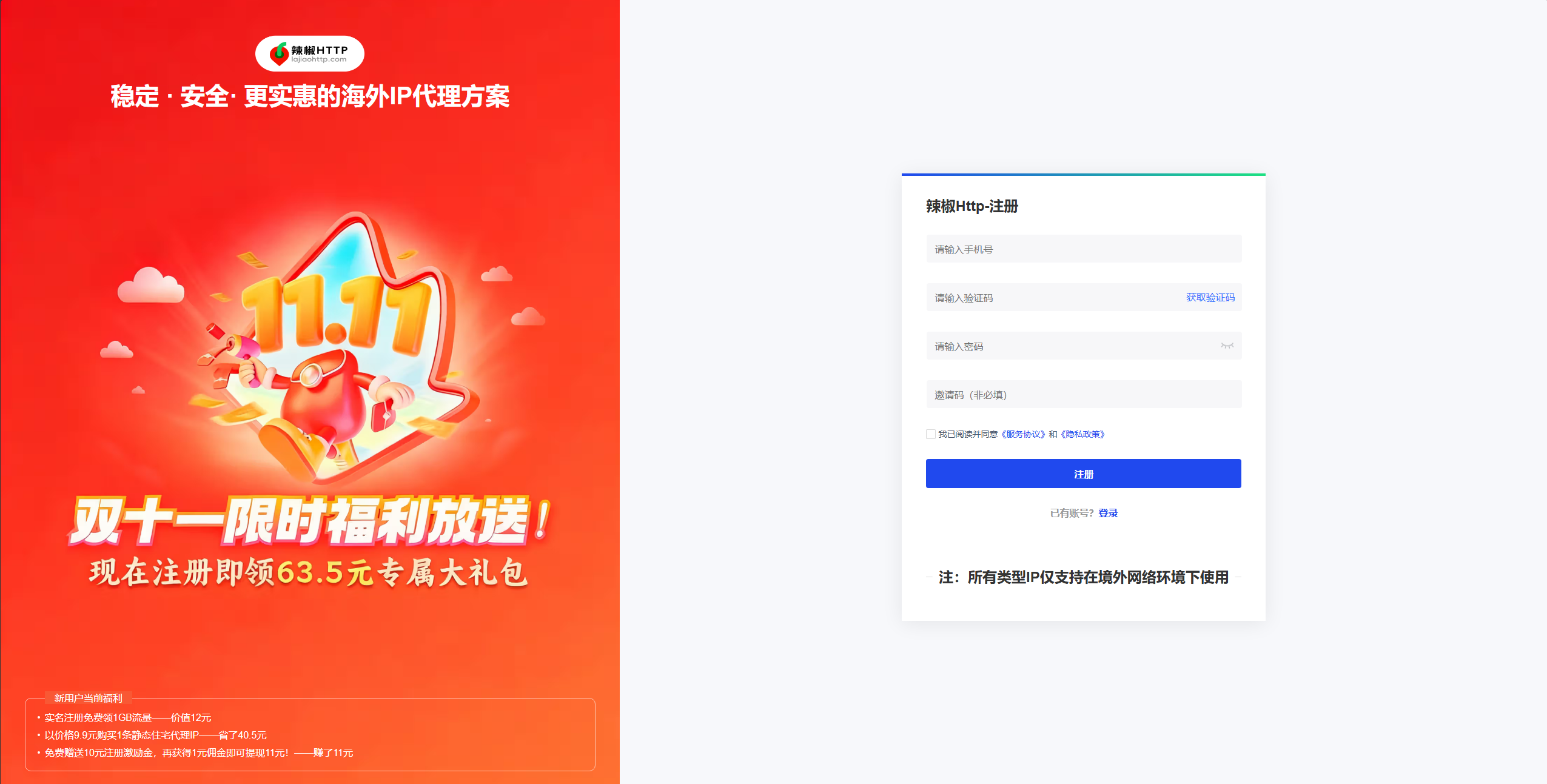
(图片注释:注册辣椒HTTP)
辣椒HTTP官网:
https://www.lajiaohttp.com/?kwd=zz-ixBrowser
当前通过邀请码:lajiao666 登录注册
辣椒HTTP
,可以获取限时优惠1.5GB的海外住宅代理和63.5元用户专属大礼包!2.购买你需要的代理类型目前辣椒HTTP提供丰富的海外IP代理,覆盖190+国家或地区,资源超过9000W+,每日更新资源10W+。
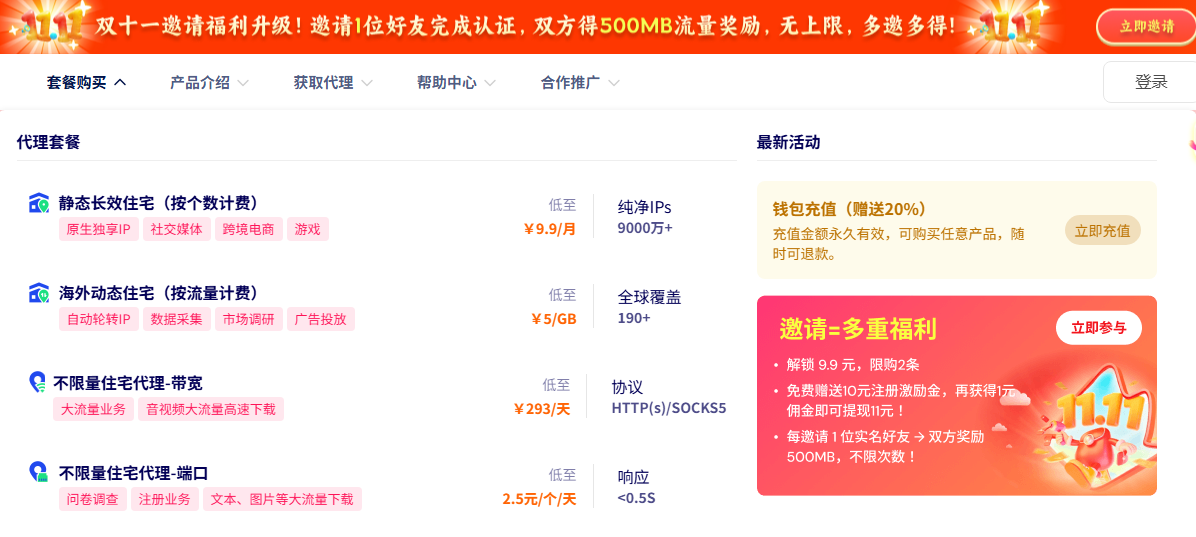
(图片注释:选购代理产品)
3.完成实名认证并获取代理
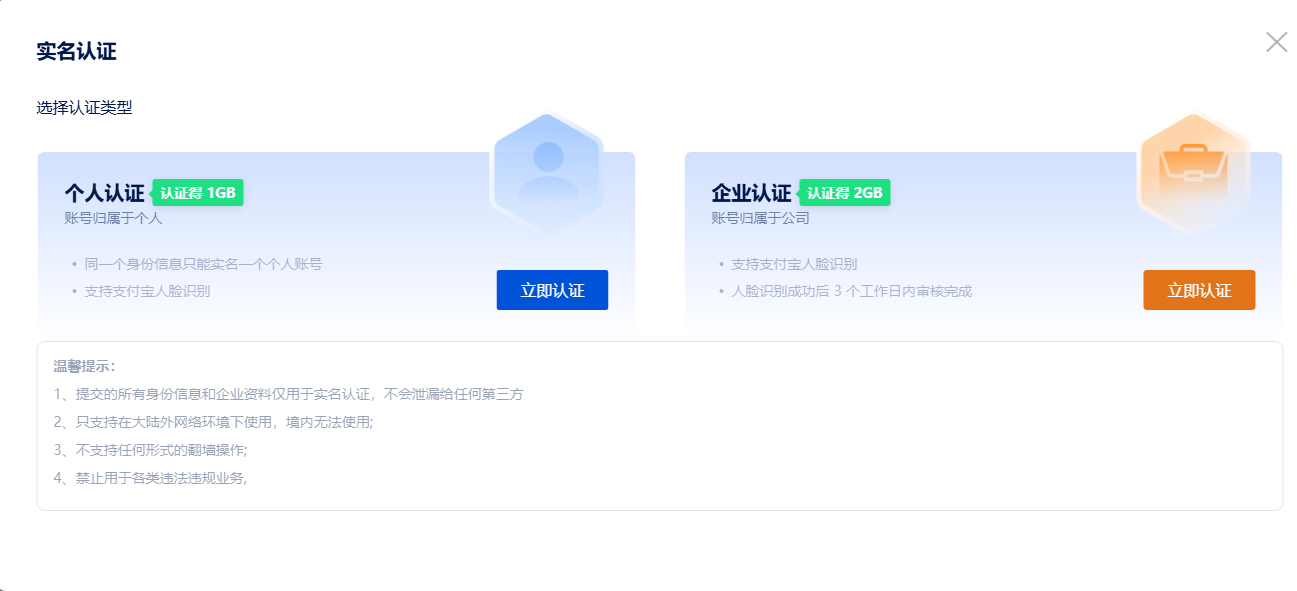
(图片注释:完成实名认证)
完成实名认证,个人用户可以免费获得1GB海外动态住宅代理,企业用户凭借营业执照可以免费获取2GB的海外动态住宅代理。
4.以海外动态住宅代理为例讲解如何在ixBrowser中配置代理
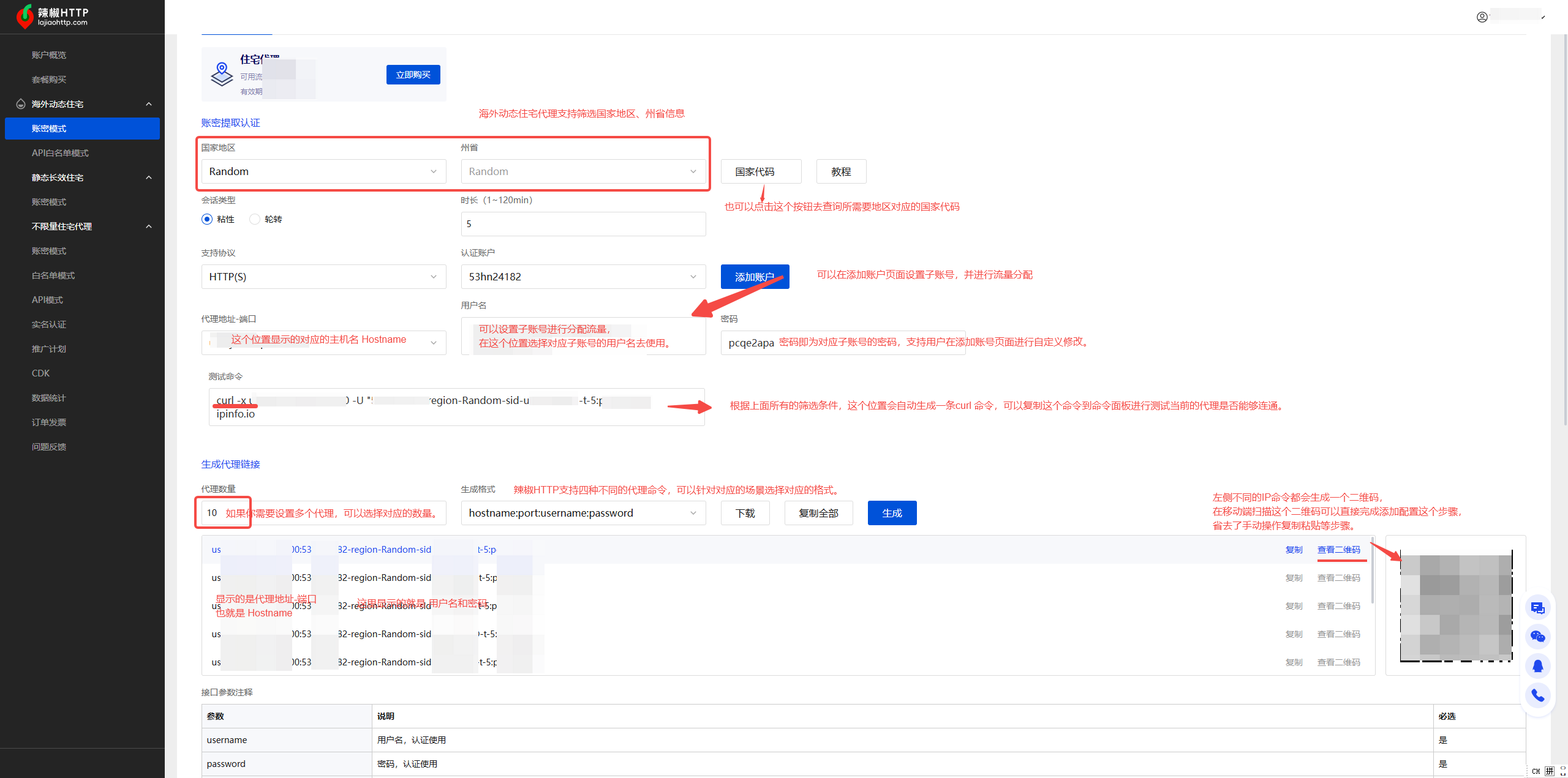
(图片注释:配置代理详解)
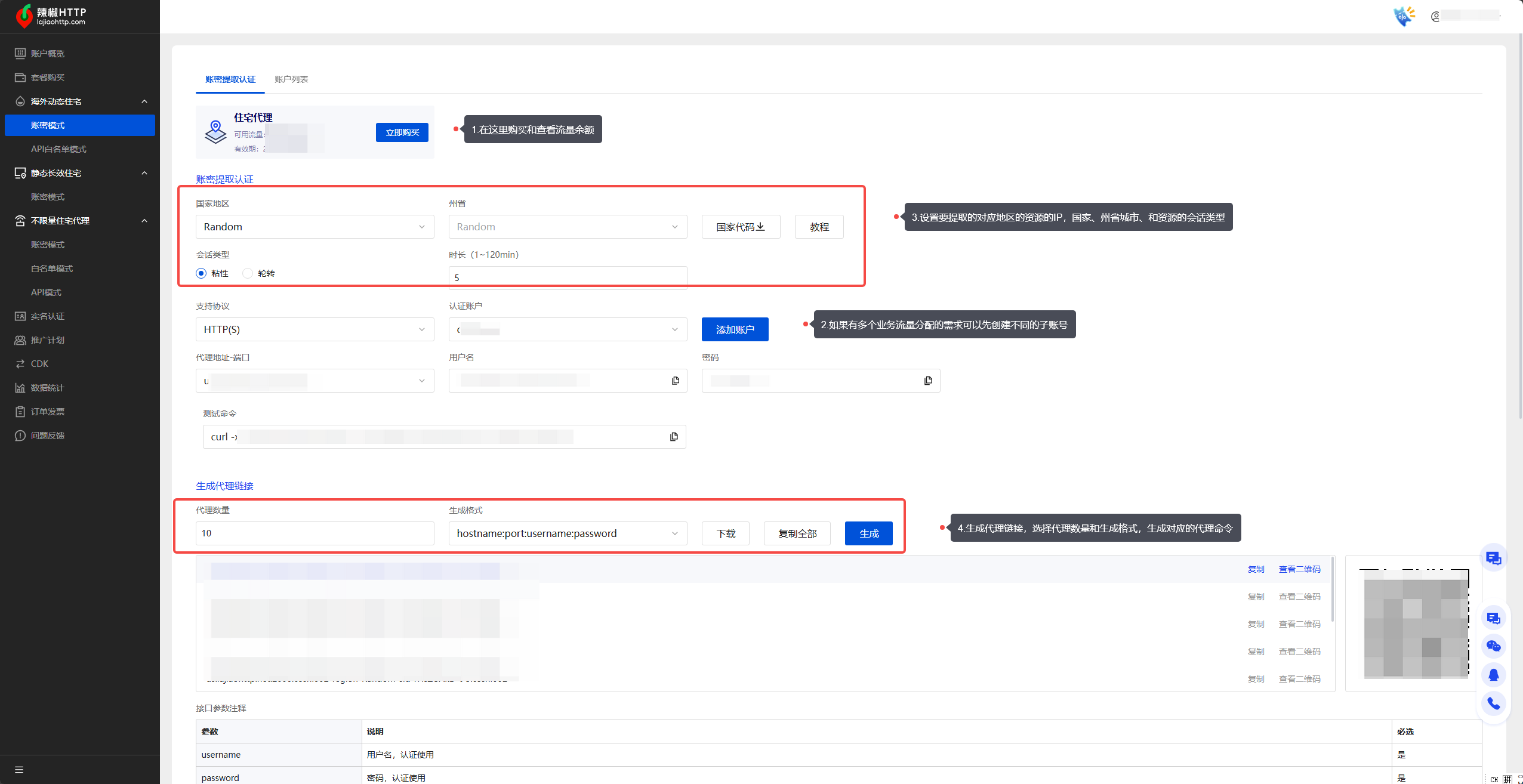
(图片注释:提取IP步骤)
在动态住宅代理【账密模式】菜单下进行提取操作。
- 可以查看到自己账号当前的住宅代理流量余额
- 辣椒HTTP支持用户创建子账号,通过给不同的子账号分配流量来实现更加精准的流量管控和业务管理。
- 在创建子账号之后,可以回到【账密模式】,筛选你需要的资源信息,例如国家、州省、会话类型。
- 在设置好资源地域的筛选条件后,还需要设置提取的账密格式和账密数量。辣椒HTTP提供了二维码的形式,方便移动端用户直接连接提取IP。
安装下载ixBrowser
5.下载安装客户端官网地址:https://ixBrowser.com/web/download
,到官网地址下载最新版本客户端,安装完成后,登录账号进入ixBrowser客户端主界面。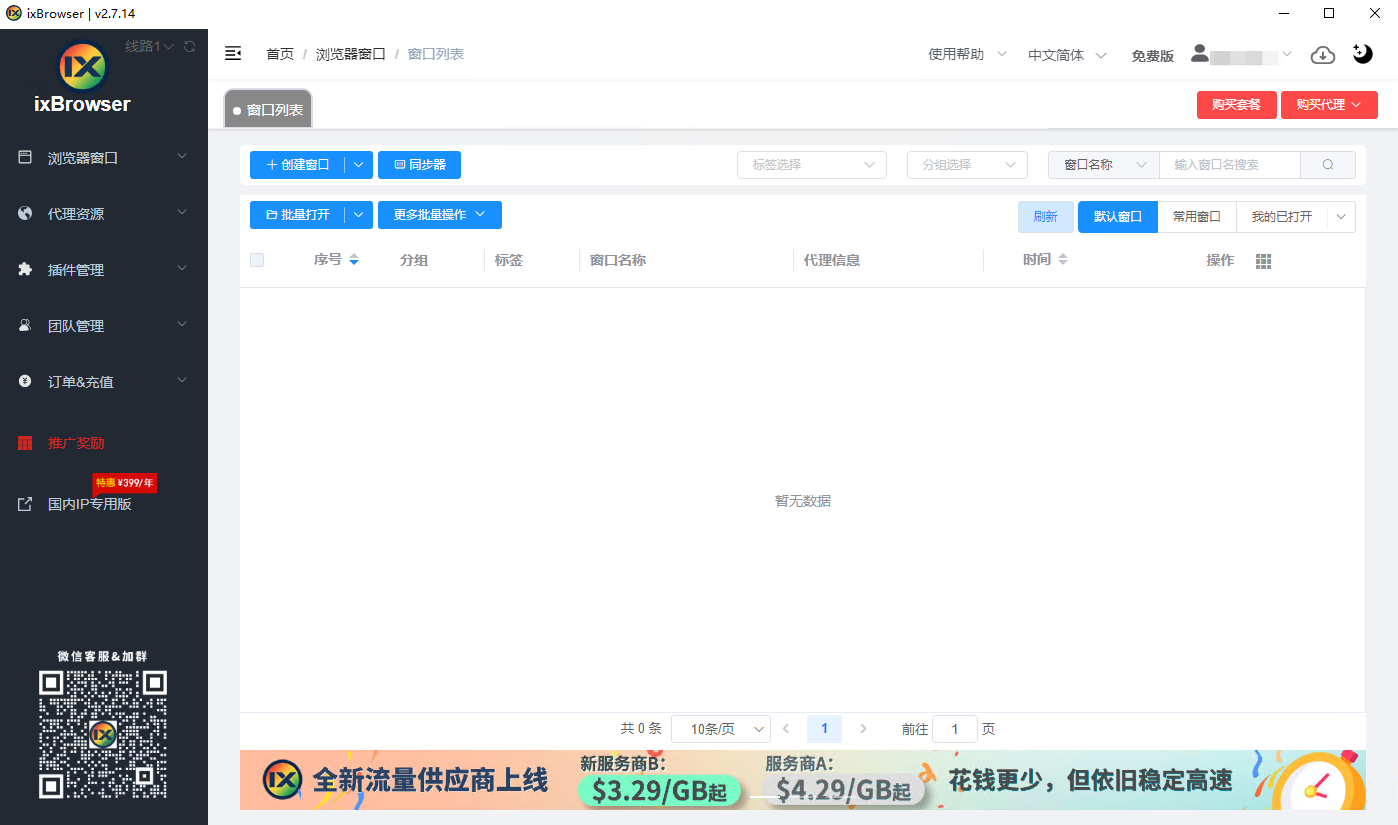
(图片注释:客户端主界面)
6.在【窗口列表】菜单下点击【新建环境】
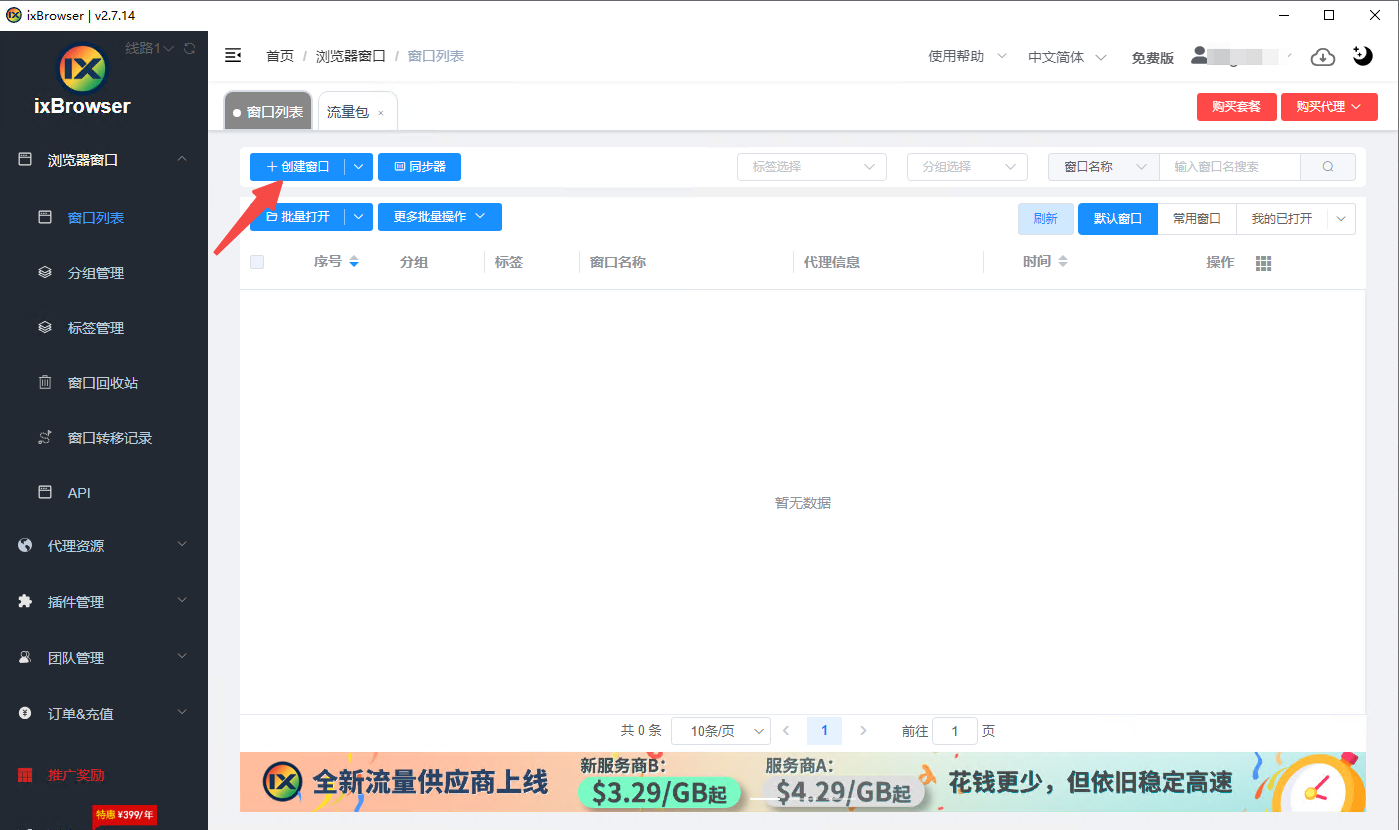 (图片注释:新建窗口)
7.提示未添加IP资源弹窗,点击继续创建可以导入第三方代理的账密资源信息
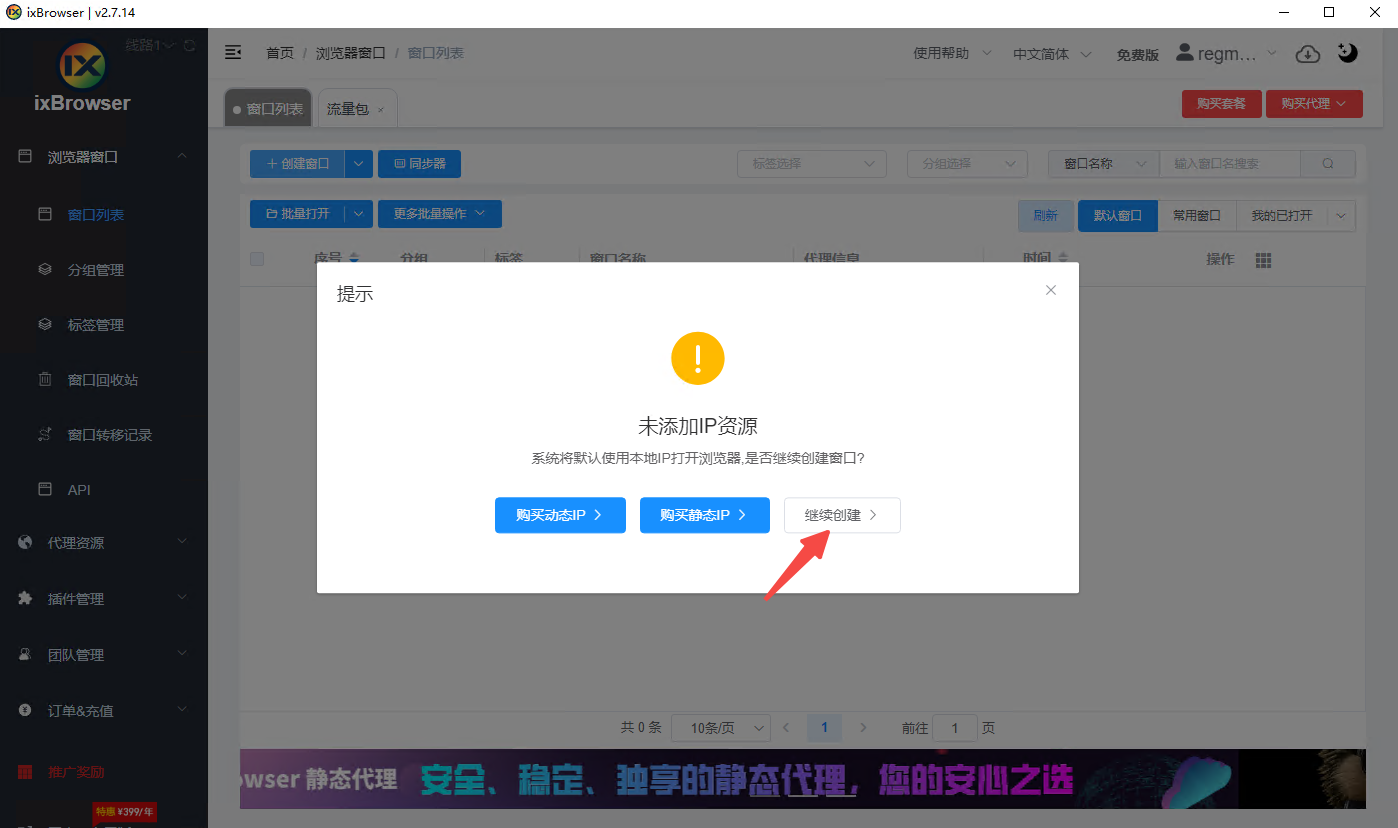
(图片注释:添加IP资源)
8.设置好名称和备注然后选择代理配置
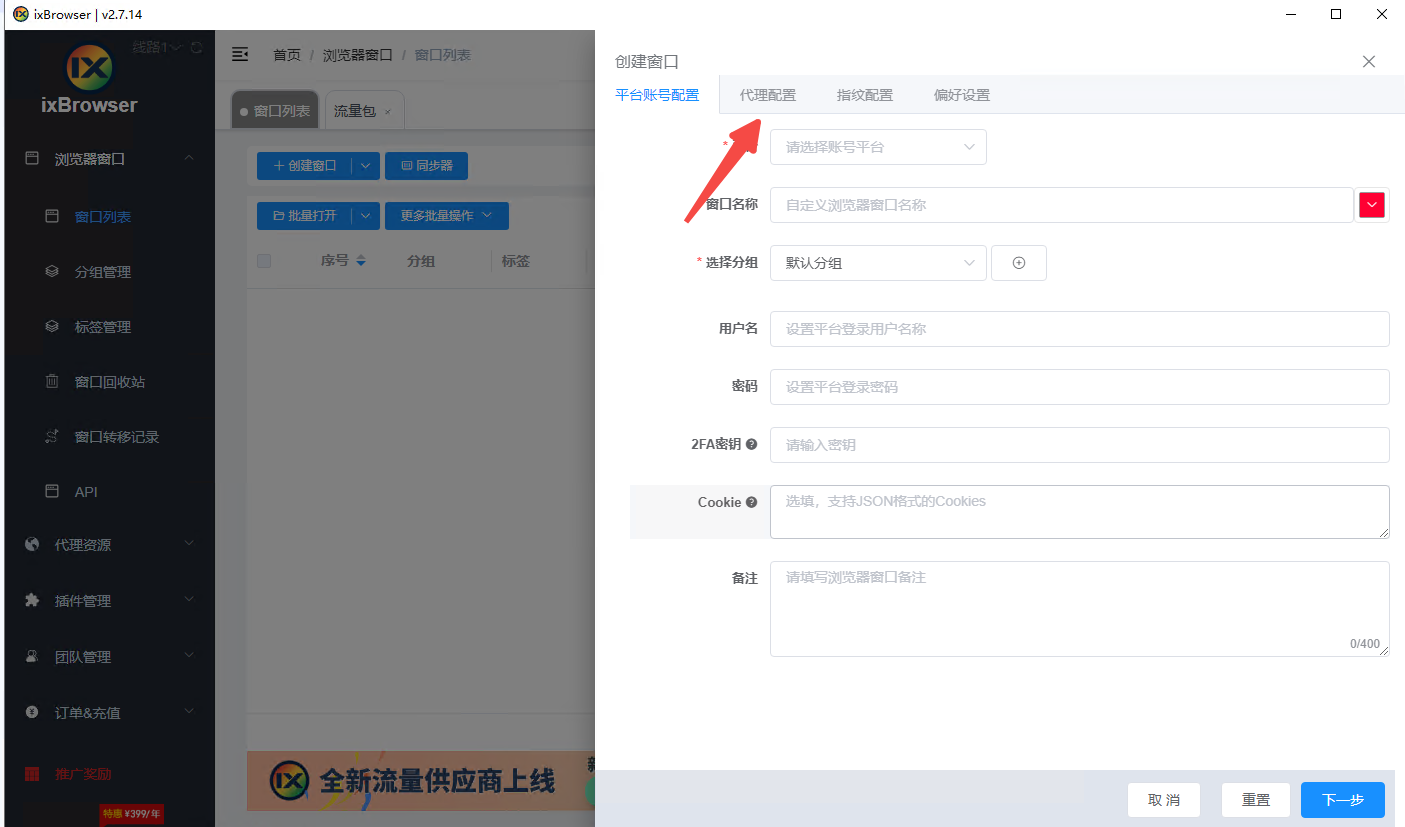
(图片注释:代理配置)
9.在代理配置中选择自定义,可以导入第三方代理服务提供商的IP资源
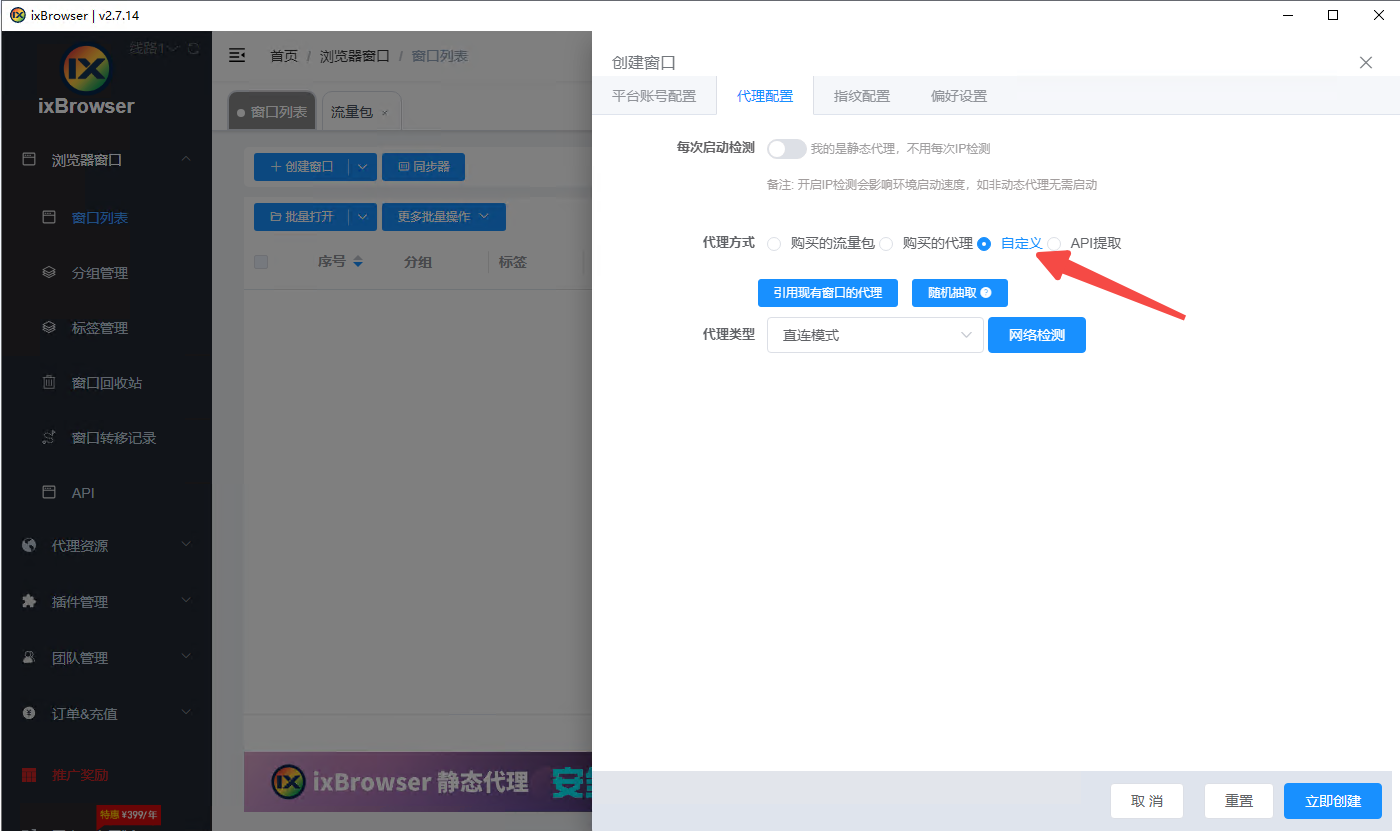
(图片注释:自定义代理配置)
10.ixBrowser提供多种代理协议类型,这里选择SOCKS5
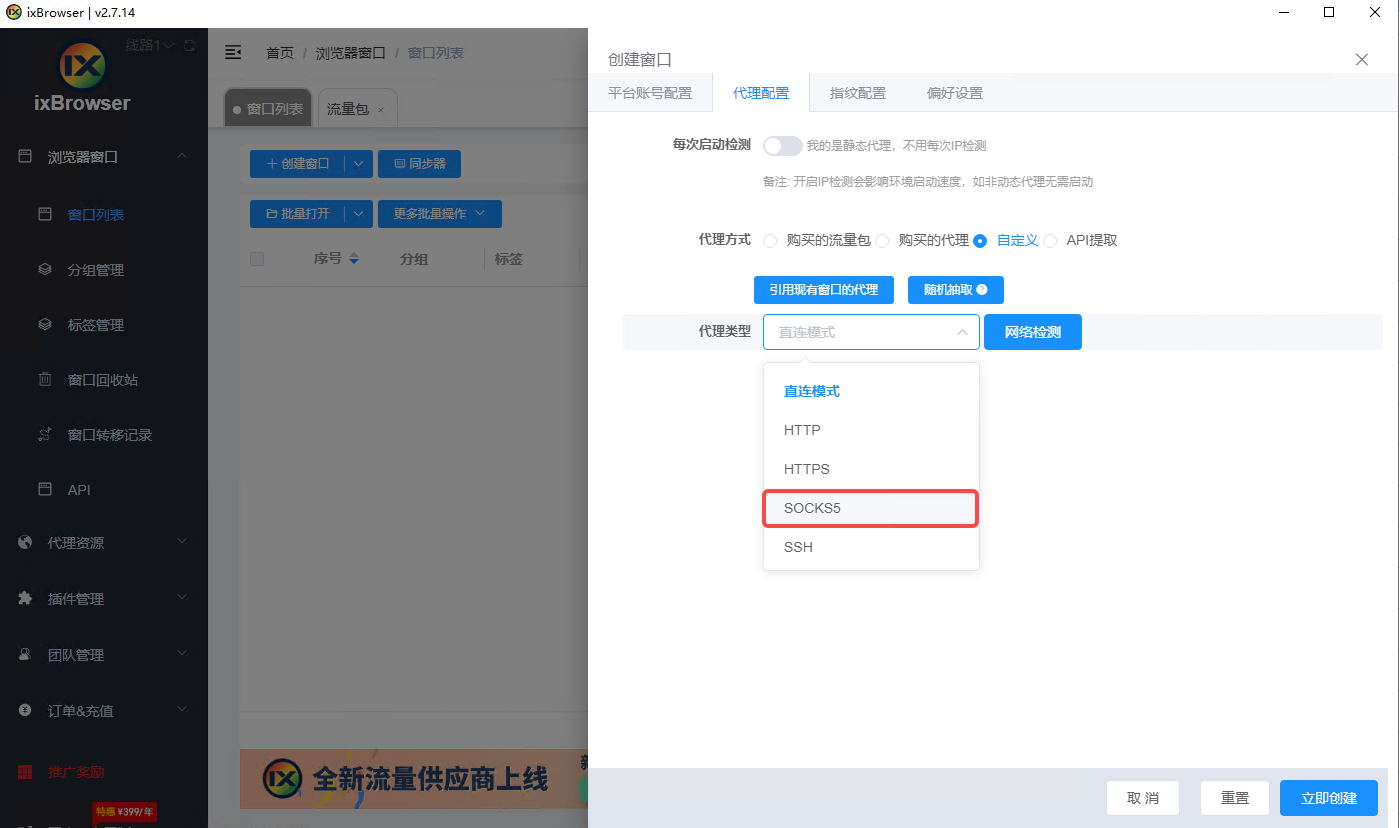
(图片注释:选择socks5)
12.将辣椒HTTP中的代理信息粘贴到ixBrowser中
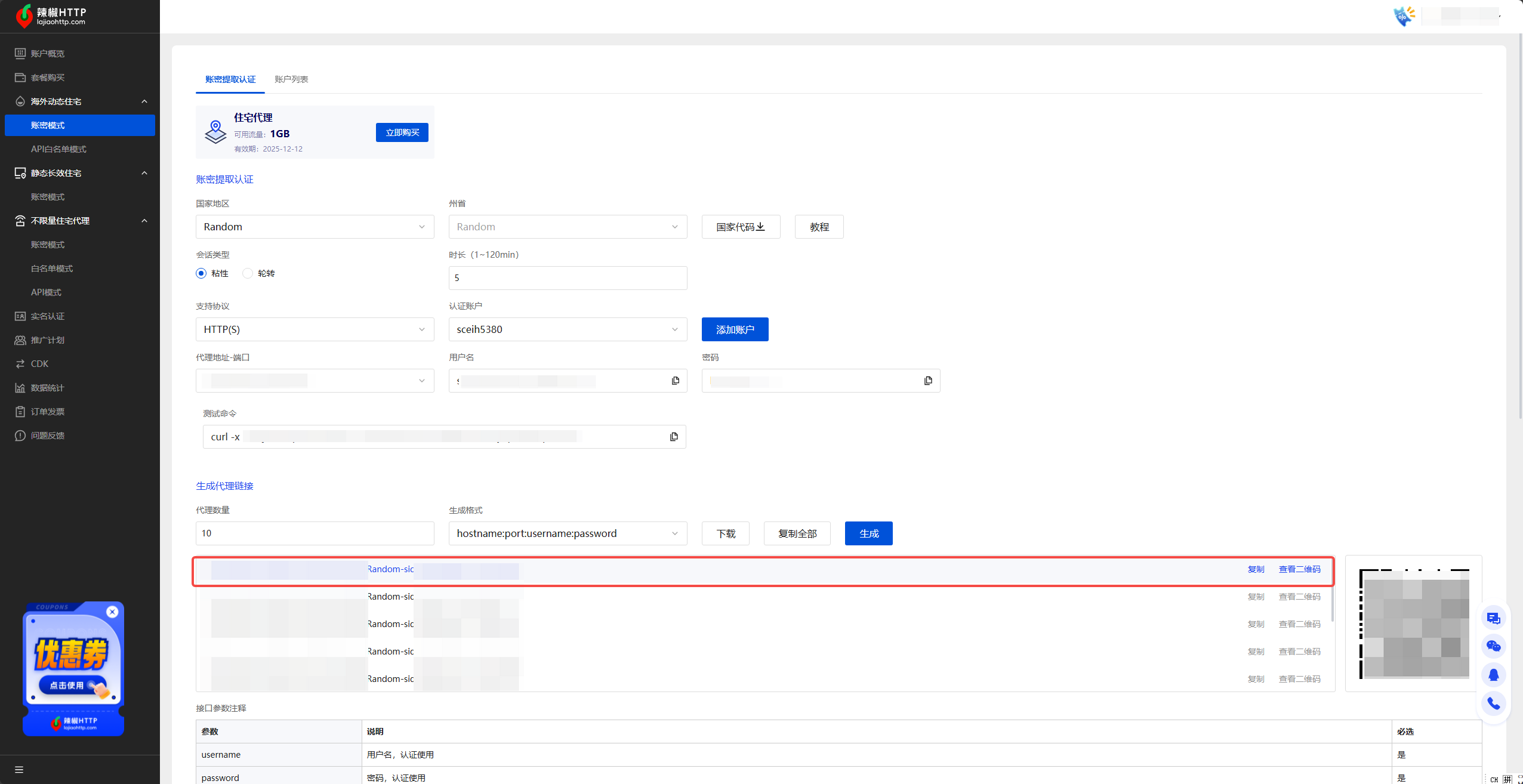
(图片注释:从辣椒HTTP账密认证板块获取代理)

(图片注释:将账密信息粘贴到ixBrowser)
12.配置好代理后点击立即创建可以查看到新建了一个指纹浏览器窗口,点击打开就可以开始在代理环境下使用了。
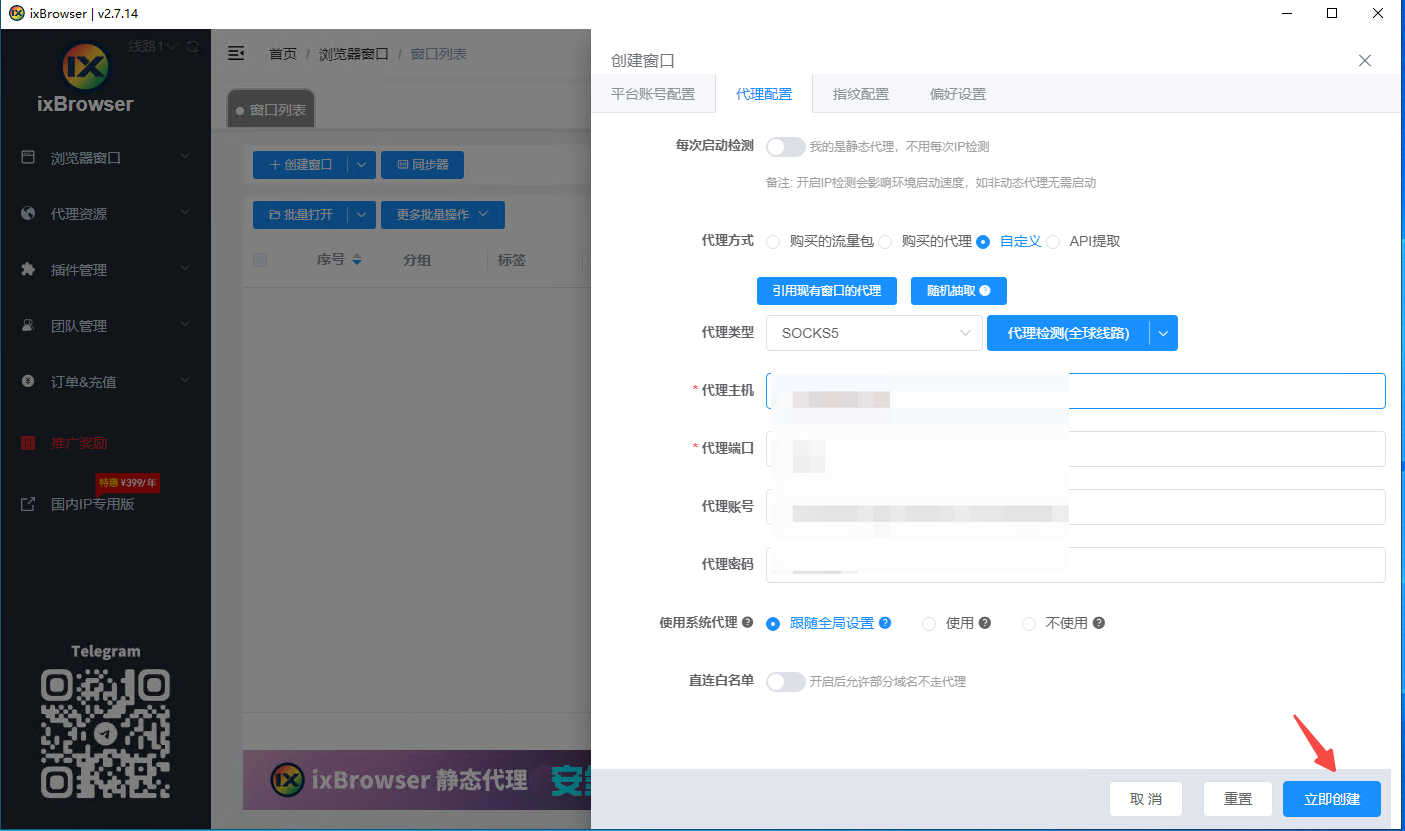
(图片注释:点击立即创建)
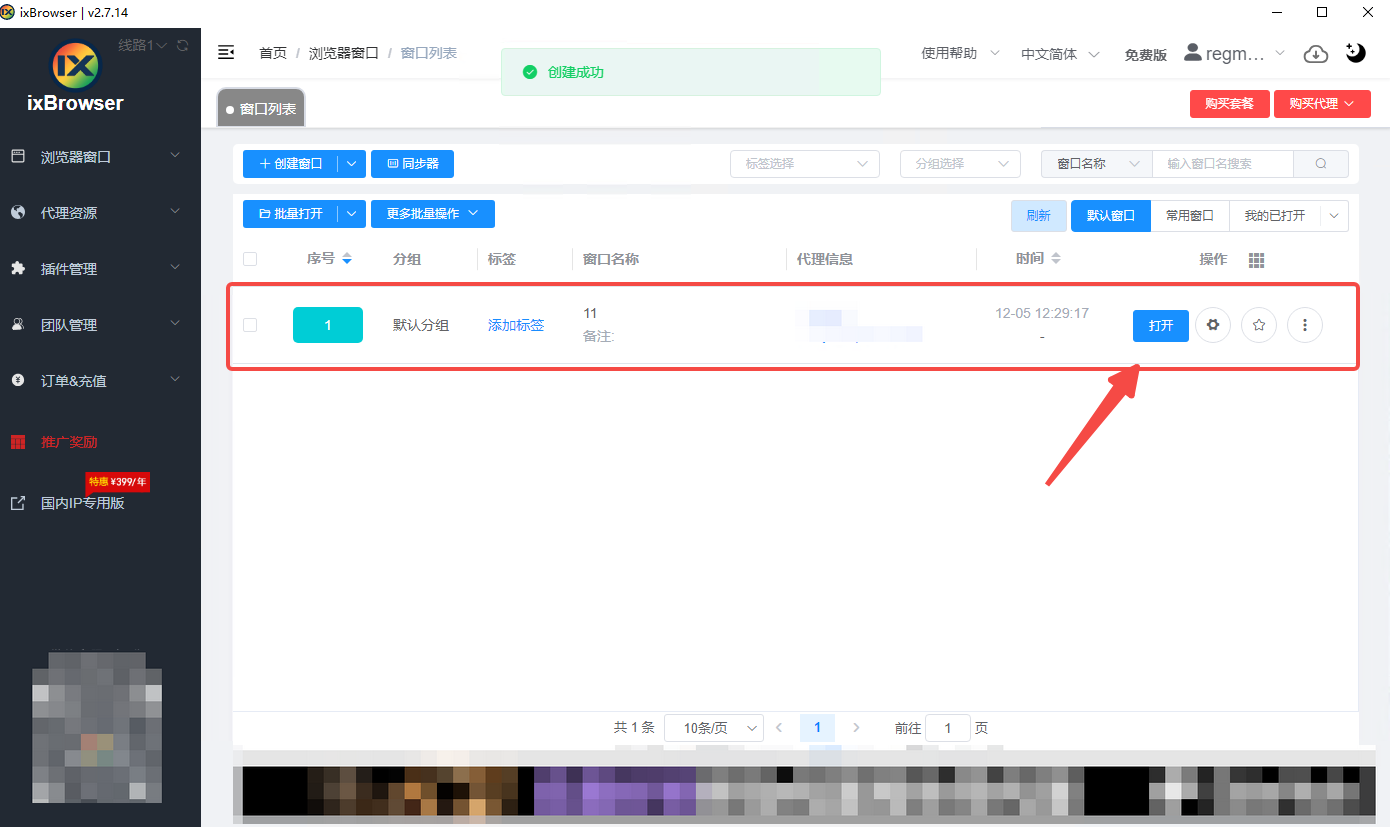
(图片注释:点击开始启动窗口)
How to Set Up in ixBrowser Step-by-Step
Most people think managing multiple accounts is a nightmare.
They create a few accounts. They get banned. They blame the platform.
But the platform isn't the problem. Their setup is.
With the right tools, you can run unlimited accounts without a single ban. No stress. No guesswork. No wasted time.
Here's exactly how to do it using ixBrowser and ISP proxies.
What is Roundproxies?
As a premium proxy service provider, Roundproxies offers an extensive network with over 180M+ residential and 3M datacenter IP proxies covering 190+ countries. The platform supports residential, datacenter, ISP, and mobile proxies, designed for web scraping, ad verification, data collection, and social media management. RoundProxies delivers strong reliability with a documented 97.2% success rate in large-scale testing and 99.9% uptime. Compared to other proxy providers, Roundproxies offers competitive pricing and a generous trial. The service provides a free trial with 500MB of bandwidth valid for 24 hours for residential proxies, while datacenter trials include 5 proxies with 1GB of bandwidth for 3 days. Paid plans start at $2.10/GB for residential proxies and $0.30/IP for datacenter proxies with unlimited bandwidth. In addition, Roundproxies supports unlimited concurrent connections, sticky session capabilities, advanced IP rotation, precise geo-targeting down to city level, and HTTP/HTTPS and SOCKS5 protocol support. The platform also offers free tools including a proxy checker and ready-to-use code snippets for easy integration.
How to Set Up Roundproxies in ixBrowser
Now let's connect your
Roundproxies ISP proxies
to ixBrowser.You can get whatever proxies you would need from Roundproxies.
Just head over to
https://app.roundproxies.com/signup
and create an account and purchase yourself a package of proxies. Thats it.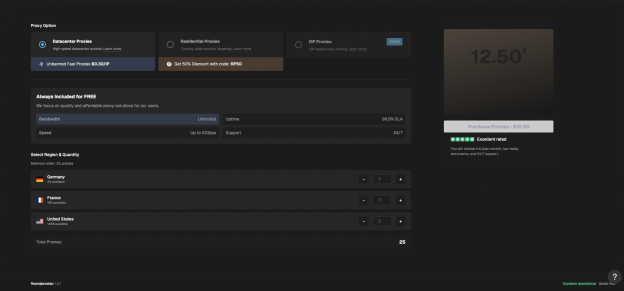
Two options: single proxy setup or batch proxy setup.
Option A: Set Up a Single Proxy
Step 1: Download and Install ixBrowser
Go to the
ixBrowser website
and click Download.
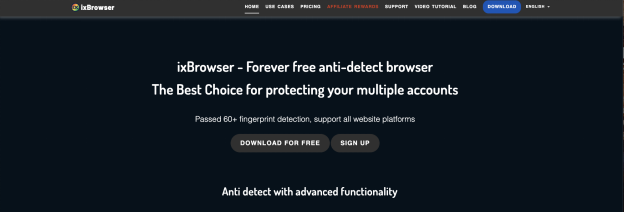
Run the installer. Choose your installation path. Click Install.
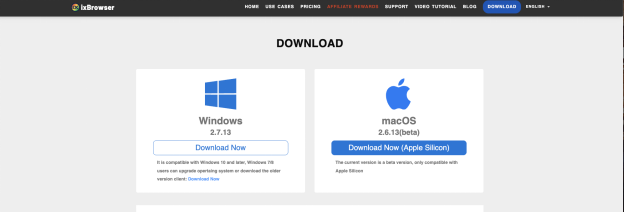
Done.
Step 2: Create Your Account
After installation, you'll land on the account creation page.
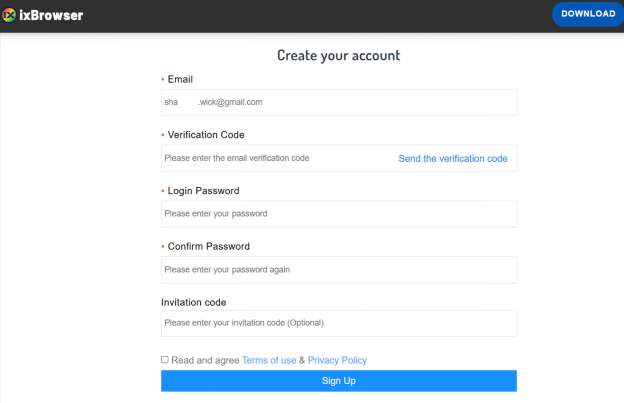
Enter your email, username, and password. Click Sign Up.
Step 3: Access Proxy Settings
Once you're logged in, look at the right navigation menu.
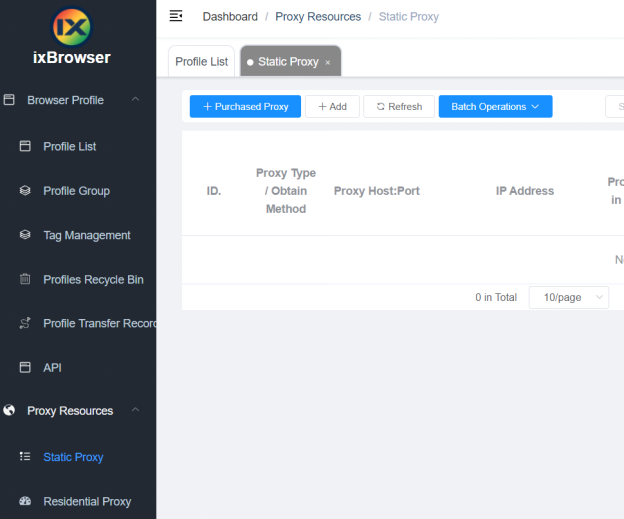
Click Proxy Resources → Static Proxy.
This opens the proxy setup screen.
Step 4: Enter Your Roundproxies Details
Fill in the fields:
-
Proxy Type: Select HTTP, HTTPS, or SOCKS5 (depending on your Roundproxies plan)
-
Proxy Host: Your Roundproxies IP address
-
Proxy Port: The port number provided
-
Proxy Account: Your Roundproxies username
-
Password: Your Roundproxies password
Click Confirm to save.
That's it. Your proxy is now connected.
Option B: Set Up Batch Proxies
Got multiple proxies? Add them all at once.
Step 1: Access Batch Proxy Settings
From the ixBrowser home page, go to:
Proxy Resources → Static Proxy → Batch Operations → Add in Batches
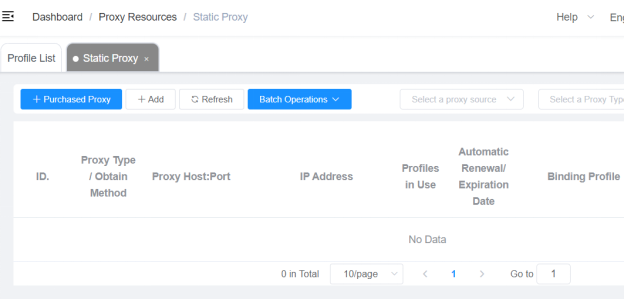
Step 2: Enter Your Proxies
Use this format:
proxyip:port:username:password
One proxy per line. You can add up to 200 proxies at once.
Supported types: HTTP, HTTPS, SSH, SOCKS5.
If you don't specify a type, it defaults to HTTP.
Step 3: Confirm
Click Confirm.
ixBrowser automatically adds all proxies and displays them in a list.
Done. You've just set up batch proxies in seconds.
Why This Setup Works
Here's what happens when you combine ixBrowser + Roundproxies ISP proxies:
Unique fingerprints → Platforms can't link accounts by device
Clean ISP proxies → Platforms can't link accounts by IP
Separate profiles → Each account lives in its own bubble
You could run 50 accounts from the same laptop. To platforms, they look like 50 different people in 50 different locations.
Invisible. Undetectable. Unstoppable.
The Bottom Line
Stop getting banned. Start setting up properly.
-
Download
ixBrowser
(free to start) -
Grab ISP proxies from
Roundproxies
-
Follow the steps above
-
Run unlimited accounts without fear
The setup takes 5 minutes. The results last forever.
ixBrowser: Best BitBrowser Alternativesin 2025
At this critical juncture of transformation and upgrade, ixBrowser demonstrates its unique value as a strategic-level tool. It is not merely a technical solution but a bridge that facilitates teams' transition from domestic operations to global management. For teams already experiencing the constraints of their current tools and seeking breakthroughs, switching from BitBrowser to ixBrowser represents not just a tool replacement but an infrastructure upgrade for the future. The following analysis will reveal why ixBrowser emerges as the optimal choice for BitBrowser users to achieve leapfrog development in this new phase of globalized operations.
What is BitBrowser?
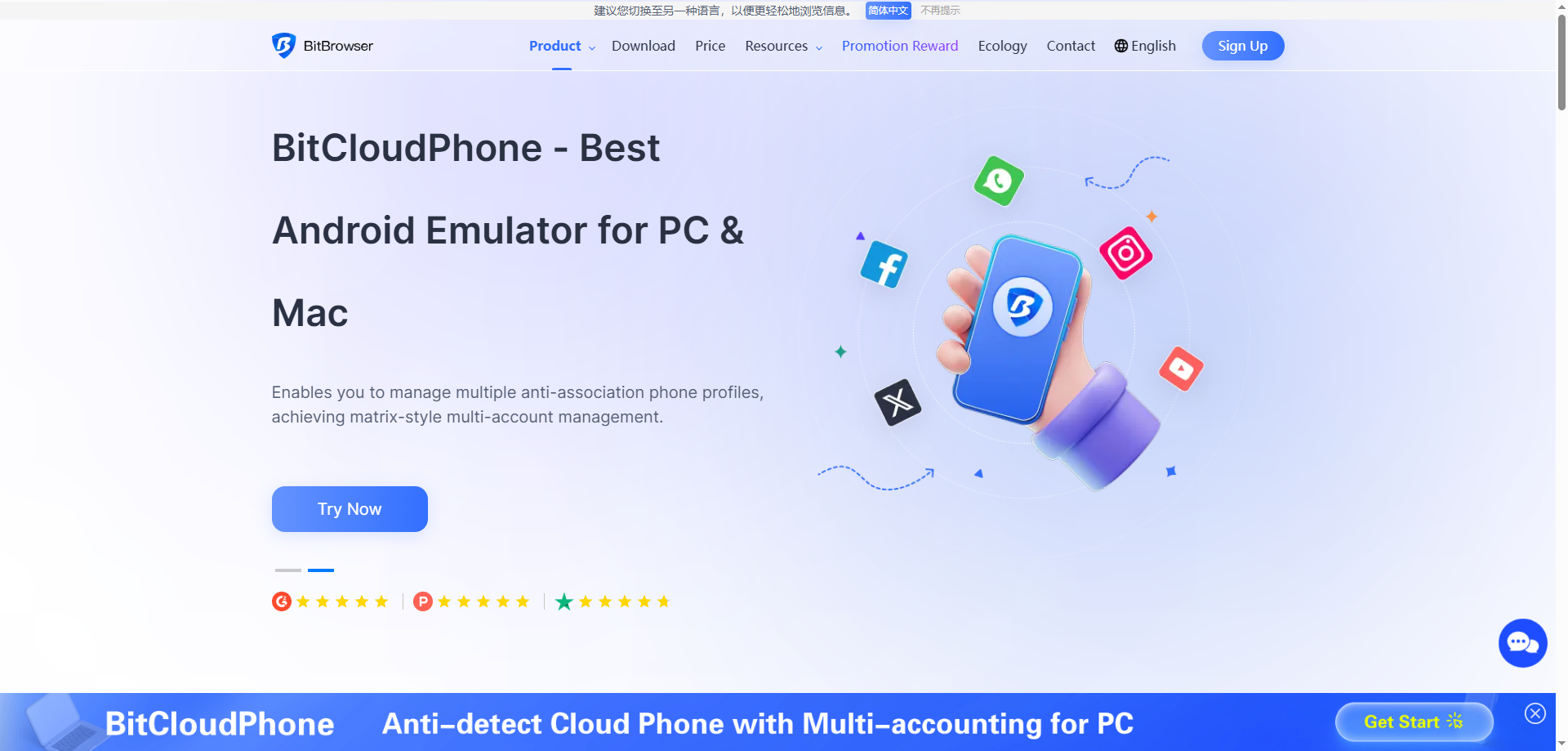
BitBrowser is a domestically developed anti-detect browser specifically designed for secure multi-account management and anti-association purposes. Its core function is to create isolated browser environments, each configured with a unique and authentic browser fingerprint (such as Canvas, fonts, timezone), thereby effectively preventing different accounts from being linked and banned by platforms due to identical fingerprints.
The browser emphasizes practicality and efficiency, integrating enterprise-level features like team collaboration, batch operations, and RPA automation. Its interface is clean and intuitive, with an operation logic tailored to Chinese users, and it offers comprehensive proxy IP integration solutions. Whether for cross-border e-commerce multi-store operations, social media matrix management, or advertising and data collection, BitBrowser is committed to providing a stable, secure, and efficient infrastructure for multi-account operations.
Advantages of BitBrowser
Excellent Localization and Support
As a domestic Chinese software, BitBrowser offers a fully Chinese interface and localized customer service with typically faster response times. For Chinese users, especially cross-border e-commerce sellers, this lowers the language barrier and provides more convenient technical support to quickly resolve issues.
Acceptable Cost and Flexible Pricing
BitBrowser's pricing strategy is competitive, offering several flexible plan options. Its free version and entry-level paid plan are relatively friendly to individual users and small teams.
Streamlined Team & Batch Operations
Its team management system is intuitively designed for quick profile and permission assignment by managers. Additionally, its built-in batch operation features (e.g., batch opening, importing, modifying) are powerful, significantly boosting operational efficiency when handling large numbers of browser profiles.
Disadvantages of BitBrowser
Limited International Recognition and Ecosystem
Its primary market and community are concentrated in Chinese-speaking regions, with lower international recognition. Compared to global products like AdsPower or Multilogin, it may have fewer third-party tutorials, plugin integrations, or deep optimizations for major international platforms, limiting its applicability in a global context.
Potential Lag in Core Fingerprint Updates
When facing rapidly evolving anti-fraud algorithms from giants like Google and Facebook, the update speed and depth of its browser fingerprint database might occasionally lag behind top international competitors. This could pose a long-term risk for users managing high-value accounts on international platforms.
Software Stability and Performance Optimization Need Improvement
According to some user feedback, the software may experience slow response times, lag, or even unexpected crashes when running a large number of browser profiles simultaneously or performing complex batch operations. This indicates room for improvement in stability and resource management under heavy loads.
What is ixBrowser?
ixBrowser is a comprehensive anti-detect browser specifically designed for managing multiple online accounts securely and efficiently. It enables users to create isolated browser environments, each with a unique and consistent digital fingerprint. This technology is crucial for professionals in digital marketing, e-commerce, and social media management to operate multiple accounts without triggering security flags or bans from platforms.
The platform stands out with its user-friendly interface, making sophisticated fingerprint spoofing accessible even to less technical users. Beyond core profile management, ixBrowser supports advanced features like team collaboration with detailed permission controls, seamless proxy integration, and automation through browser automation studios. It provides a robust solution for tasks ranging from affiliate marketing and ad verification to large-scale data scraping.
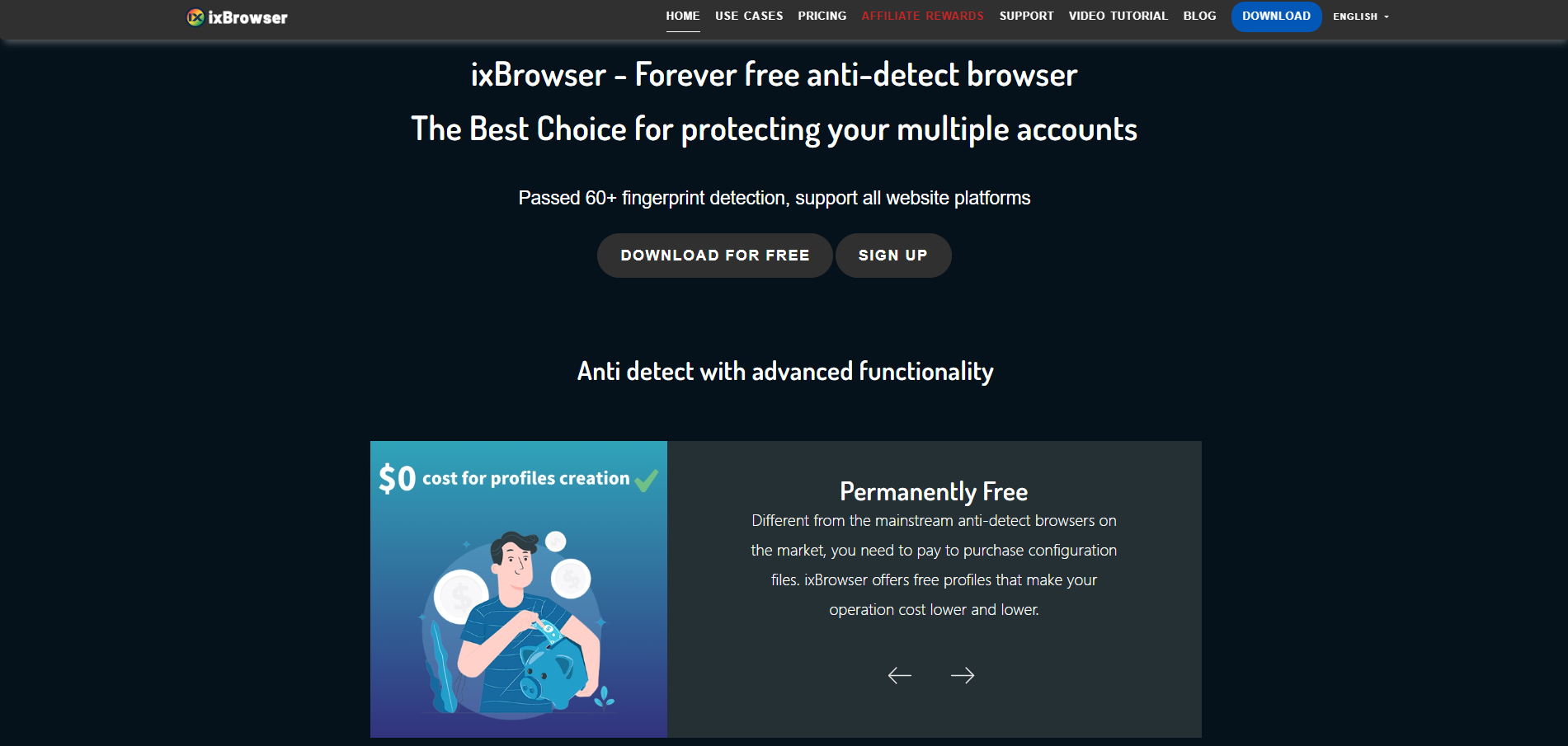
Why is ixBrowser the best alternative to BitBrowser?
Better Global Pricing & Free Policy
While BitBrowser's pricing targets the domestic market, ixBrowser offers a more internationally competitive pricing structure. Its free version provides more generous feature allowances, and paid plans typically offer more profiles and advanced features at equivalent budgets, delivering better cost-effectiveness for global operations teams.
Superior International Platform Compatibility
BitBrowser primarily optimizes for domestic e-commerce platforms, whereas ixBrowser continuously conducts deep adaptation and optimization for major international platforms like Google, Facebook, and Amazon. Its fingerprint database better matches international user habits and device characteristics, reducing operational risks on overseas platforms.
More Stable Multi-Tasking Performance
Compared to BitBrowser's potential performance issues when handling numerous profiles, ixBrowser employs a more optimized resource management architecture. It maintains smooth and stable system operation even when running dozens of browser instances simultaneously, significantly enhancing productivity during large-scale operations.
Enhanced Cross-Regional Team Collaboration
ixBrowser's team management system supports multi-language interfaces and timezone adaptation, making it more suitable for globally distributed teams. With more granular permission settings and support for grouping by project or region, it offers better suitability for international team structures than BitBrowser's collaboration features.
More Timely International Fingerprint Updates
Facing rapidly evolving detection technologies on international platforms, ixBrowser maintains a dedicated global fingerprint research team with faster update frequency and response times. This provides stronger long-term security for managing high-value international accounts and reduces the risk of bans due to outdated fingerprints.